

Sapiva
The learning platform for businesses, training centres and academies.
Run your own school under your own name. Self-paced courses, live and classroom sessions, attendance to the minute, assignments and certificates, with every learner's progress in one place.
Who uses Sapiva
Businesses
Train your staff on your own courses, see who has finished, and keep dated certificates for audits and inspections.
Training centres
Run your courses under your own name: self-paced, live and classroom, with attendance to the minute and reports for funders.
Academies and colleges
One place for each student: courses, timetabled sessions, assignments, marks, attendance and certificates.
Associations and professional bodies
Offer CPD to your members with certificates anyone can check, and see completions across the membership.
The name
Sapiva comes from the Latin sapere: to know, and to be wise.
Knowing something and using it well are not the same. A course can be finished in an afternoon and forgotten by Monday. We named the platform after both halves of the word, because training only counts when people know what to do and then do it.
Said sa-PEE-va. Written as one word, with a capital S.
Your own school
Your name on the door, not ours
On Scale and Enterprise, Sapiva becomes your school. Your students sign in on your own page, see your logo and colours from the first screen, and get certificates in your name for your own courses. Emails go out under your name too.
Your courses stay private to your school. We set it all up for you.
- Your logo, colours and school name everywhere
- Your own sign-in page to share with students
- Certificates for your courses issued and signed in your name
- Your own courses kept private to your school
- Your managers and trainers see only your people
Live and classroom training
Know who was there, when they arrived and how long they stayed
Plan online or classroom sessions and Sapiva keeps the register for you. Online learners join through Sapiva, so their arrival time is recorded and the page checks every minute that they are still there. In the room, they scan a QR code. You can also upload the attendance file from Teams or Zoom.
At the end you have an attendance register you can print and sign, a detailed file for funding bodies and authorities, and an hours file for your accounts.
- Arrival time and minutes late for every person
- Time present, and who left early
- Absent and excused, with the trainer's note
- Weekly sessions planned in one go, reminders on the day
- Assignments, marks and feedback in the same place
Plans
Start, Scale or Enterprise
Every plan is quoted for your number of learners and what you need. We are competitively priced, with no set-up surprises.
Sapiva
Start
For a business or a new training provider getting going.
Competitively priced. Ask for a quote.
- Your own company area: your managers see only your people
- Self-paced courses: your own SCORM 1.2 packages and video lessons
- Lessons that open in order, quick checks, two attempts and retakes you control
- Numbered certificates with a QR code anyone can check
- Progress dashboards, points, badges, rewards and a team leaderboard
- Automatic reminders when someone stops, and alerts to managers
- People added from a spreadsheet, reports to download
- Data held in the EU
Most chosen by training centres
Scale
For training centres and academies running their own school.
Competitively priced. Ask for a quote.
- Everything in Start
- Your own branded school: your name, logo and colours, your own sign-in page, certificates in your name
- Live online and classroom sessions, one-off or weekly
- Attendance to the minute: arrival time, late arrivals, time present, early leavers
- QR check-in for the classroom, and Teams or Zoom attendance files matched by email
- Assignments with hand-in, marks and feedback
- A full record for every student: courses, attendance, work and certificates
- Attendance registers for funders and authorities, and hours files for your accounts
Sapiva
Enterprise
For larger organisations, groups and networks.
Competitively priced. Ask for a quote.
- Everything in Scale
- Several schools, sites or brands, each with its own branding and its own people
- Your existing courses and learner lists moved across for you
- Courses written or customised for you
- A named contact and a quarterly review of completions and attendance
- Scheduled reports emailed to the people who need them
- Agreed service terms and invoicing
What you get in Sapiva
Sapiva is the learning platform for businesses, training centres and academies. Here is everything that comes with it, for the people learning, the people managing them, and the company behind them.
For learners
Everything a learner needs to finish, and a reason to come back.
- Any device, nothing to install Runs in the browser on a phone, tablet or laptop. Progress saves as they go.
- Lessons that open in order Each lesson unlocks when the one before is done, and the course picks up where they stopped.
- Short, interactive lessons Real situations, quick checks and feedback on every answer, plus video lessons.
- Points, ranks and 15 badges Earned for lessons, good scores, finished courses, CPD hours and weekly streaks.
- My progress Rank, weekly streak, CPD hours against a goal they set for the year, and a calendar of when they learn.
- Rewards and a team leaderboard Unlock rewards the company sets. Anyone can hide from the leaderboard.
- Certificates anyone can check Numbered, with CPD hours and a QR code, issued the moment they finish. Add to LinkedIn in one click.
- Reminders that help A nudge if they stop, and a "pick up where you left off" alert when they sign in.
- Live sessions and assignments Join online sessions from Sapiva or scan a QR code in the classroom, and hand in work for marking and feedback.
For managers
A clear view of the team, and the platform does the chasing.
- Your team in one place Seats per course, people added from a spreadsheet, courses given in a few clicks.
- Progress at a glance Completion rate, who learned in the last 30 days, CPD hours earned and lessons finished each week.
- Who needs a nudge Not started, stopped or needing a retake, with a one-click nudge from you.
- Automatic reminders After 7 and 14 days without progress, and when a course has not been started. You are told after 21 days.
- Retakes you control Two attempts at each assessment, then you unlock a retake when the person is ready.
- Kudos and rewards Send a well done with a message, set rewards with points targets, and mark claims as given.
- Training matrix and reports Everyone and every course on one page, downloads as a spreadsheet, or reports emailed weekly or monthly.
- Messages to your team Email one person or the whole team from inside the platform.
- Leavers handled Deactivate someone who has left. Their records and certificates are kept.
- Live and classroom attendance Join time, lateness and time present for each person, from Sapiva, a QR code or the Teams or Zoom attendance file. Print or download the register.
- Assignments and marks Set work with a due date, see who has handed in, then mark it and add feedback. Late work is flagged.
For your company
Built for regulated training, and for audits.
- Your own company area Your managers see only your people, under your company name.
- Evidence for audits Dated completions, scores and numbered certificates that anyone can verify online.
- Your existing content SCORM 1.2 packages and video lessons run as they are, private to your organisation.
- Data kept in the EU Platform data is held in the EU. Personal data can be erased on request.
- Your own branded school Training centres and academies can run Sapiva under their own name, logo and colours, with their own sign-in page and certificates in their name for their own courses.
- Reports for authorities and accounts Attendance and hours files for funders, regulators and your accounts team, and one record per student with courses, attendance, work and certificates.
- Light or dark display Each person chooses a white or black background.
How it works
Talk to us
A short call about what you run, who your learners are and what you have to report.
We set it up
Your area or your branded school, your courses loaded, your people imported.
You go live
Learners sign in, managers and trainers see everything from day one.
We stay with you
Updates, help and changes when you need them, from people who run training themselves.
Affiliates
Introduce Sapiva and earn with us
Consultants, HR advisers, accountants, IT providers and trainers earn commission on every client they introduce. We do the demo, the set-up and the support.
See it before you sign in
Click through real screens: first what a learner sees, then what their manager sees. Harbourline Academy and its people are a demo school; every feature is real.
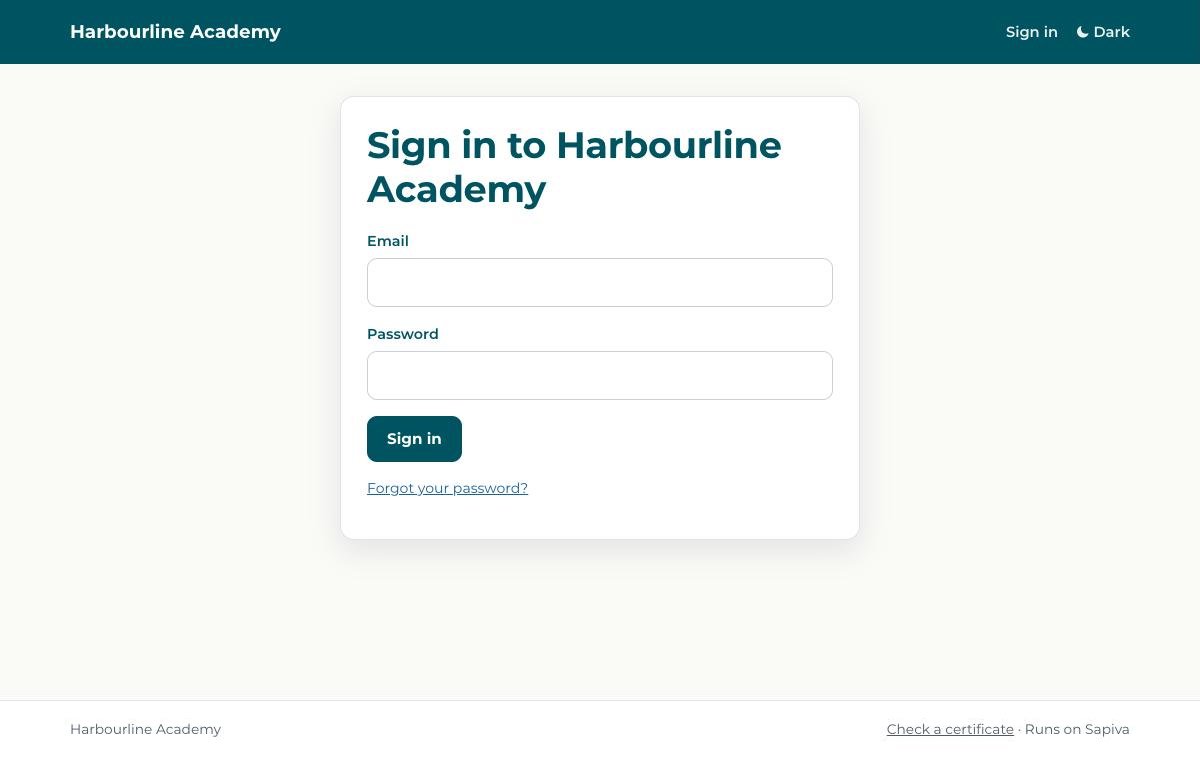
Your school, your sign-in page
Learners sign in on your own page, in your name and colours, before they type a password. They never see ours.
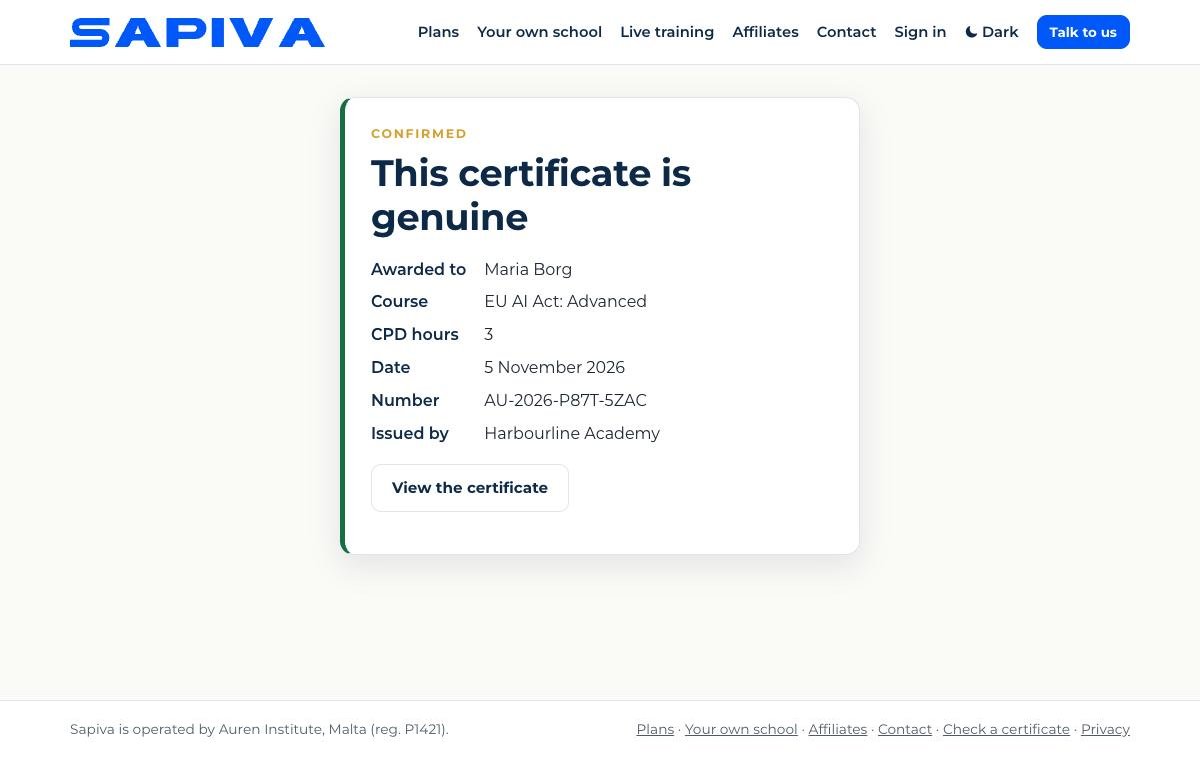
Checked in seconds
Anyone can confirm a certificate online: who earned it, the course, the date and the school that issued it.
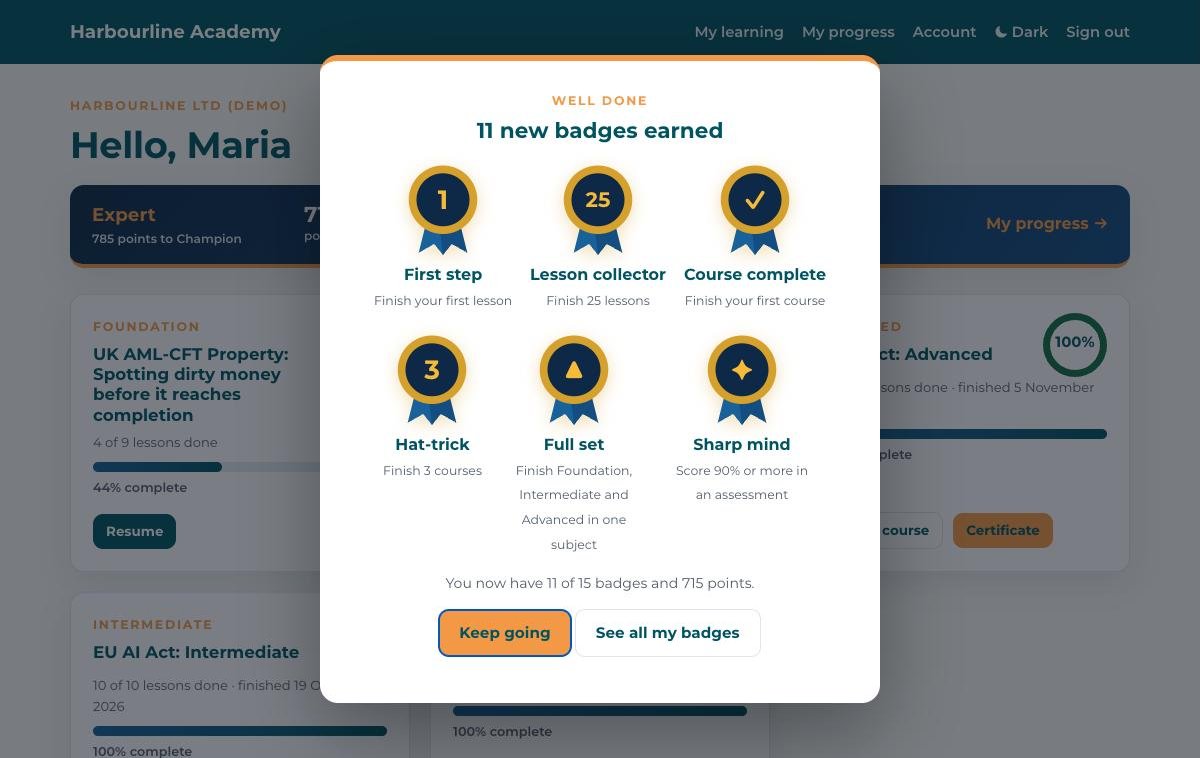
Progress gets noticed
Badges pop up the moment they are earned, from the first lesson to a full set of levels in one subject.
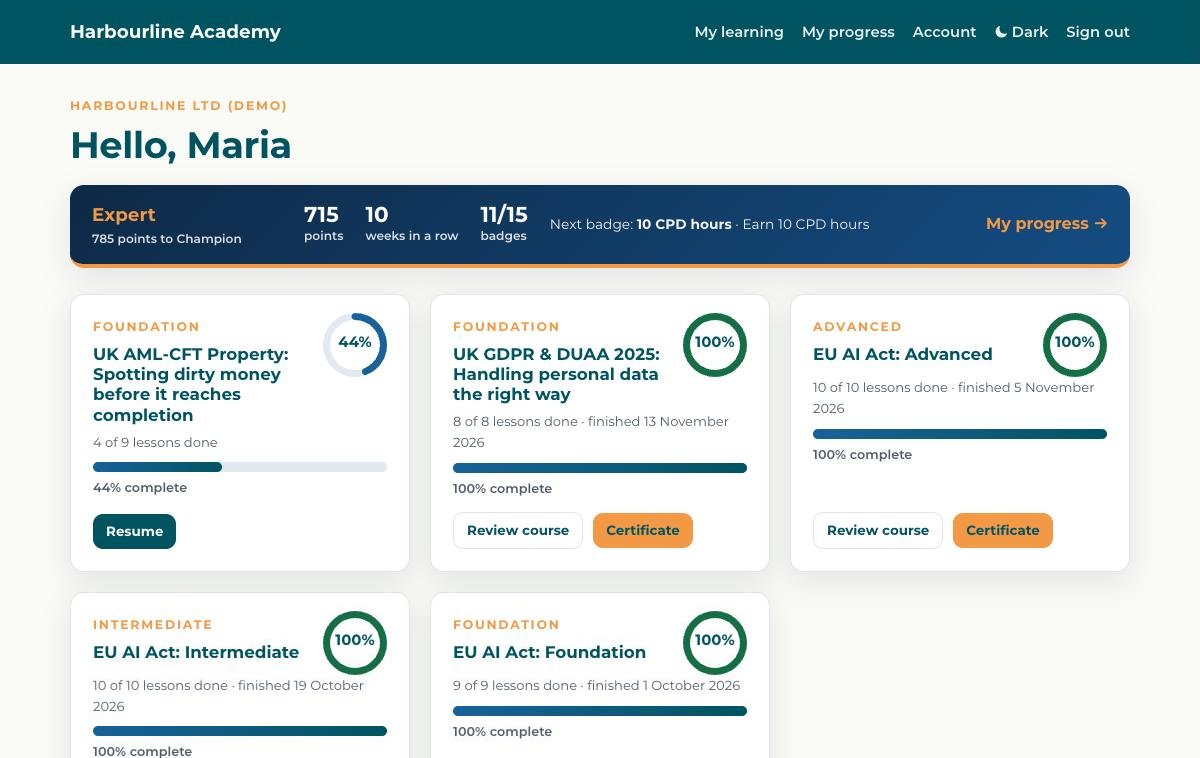
Everything on one page
Rank, points, weekly streak and next badge at the top, then every course with its own progress ring.
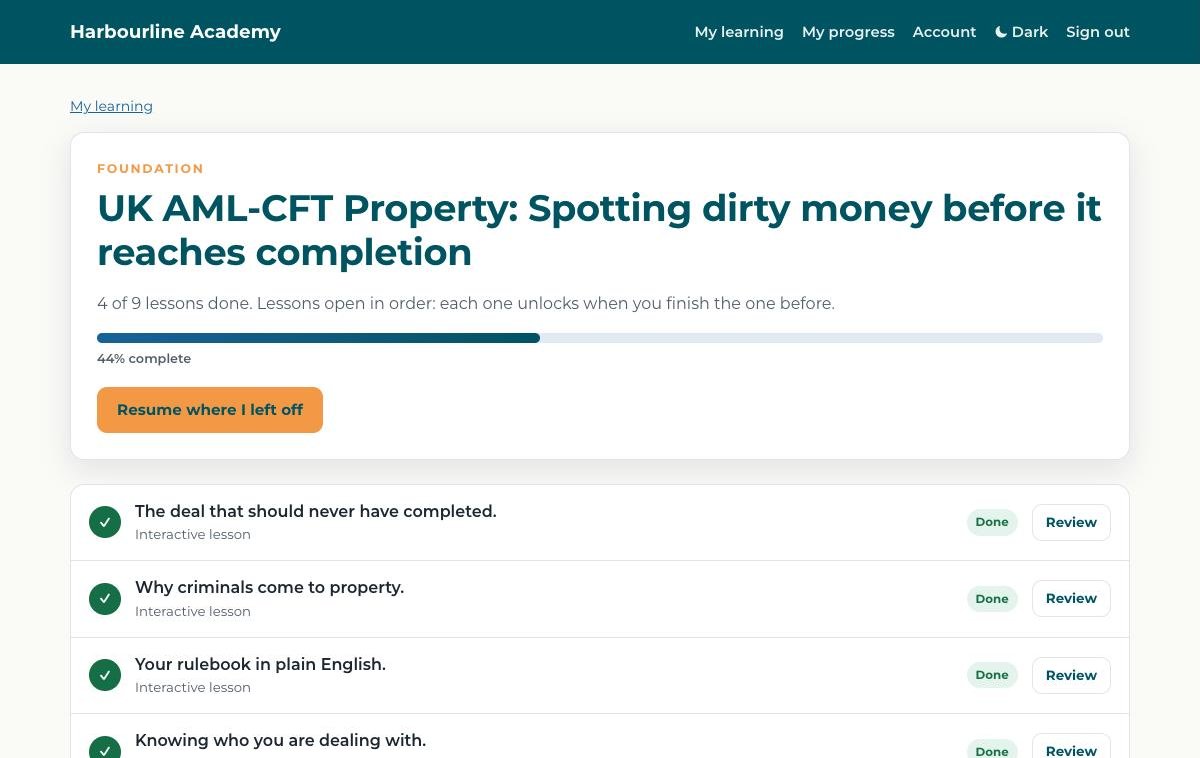
Lessons open in order
Each lesson unlocks when the one before is finished, and the course always picks up where the learner stopped.
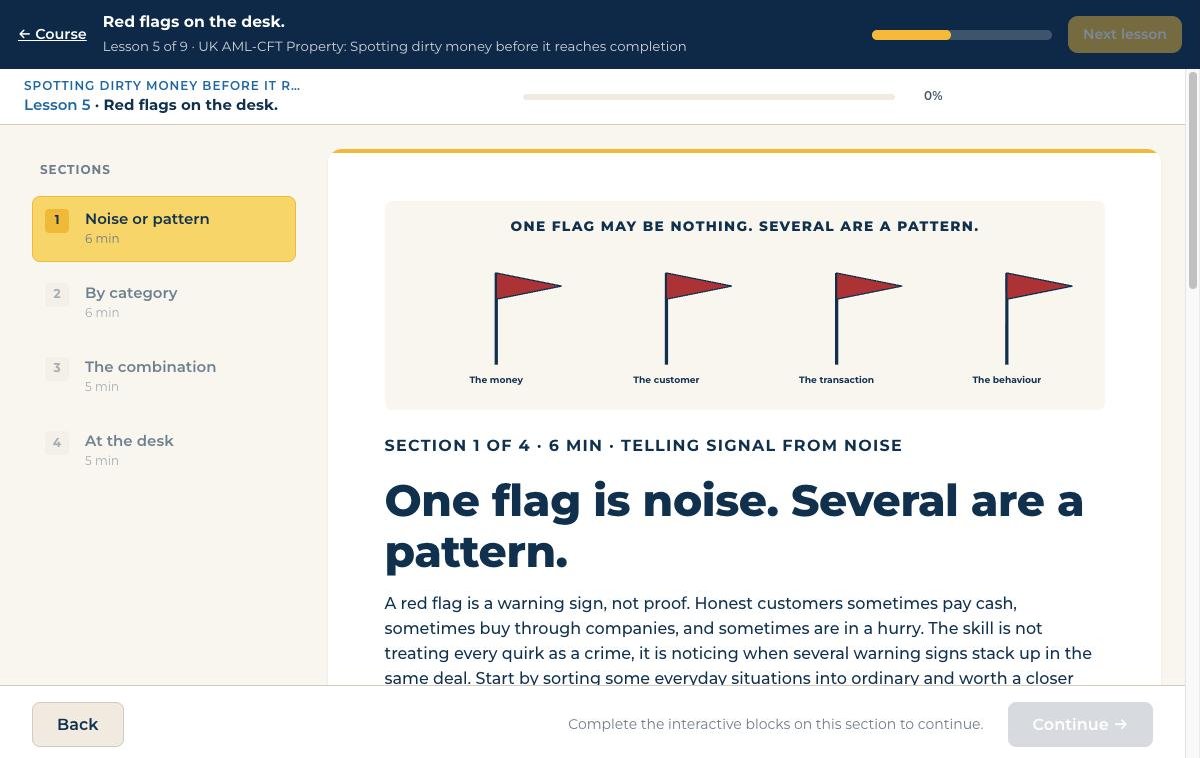
Short, interactive lessons
Real situations, quick checks and feedback on every answer. Each finished lesson earns 10 points.
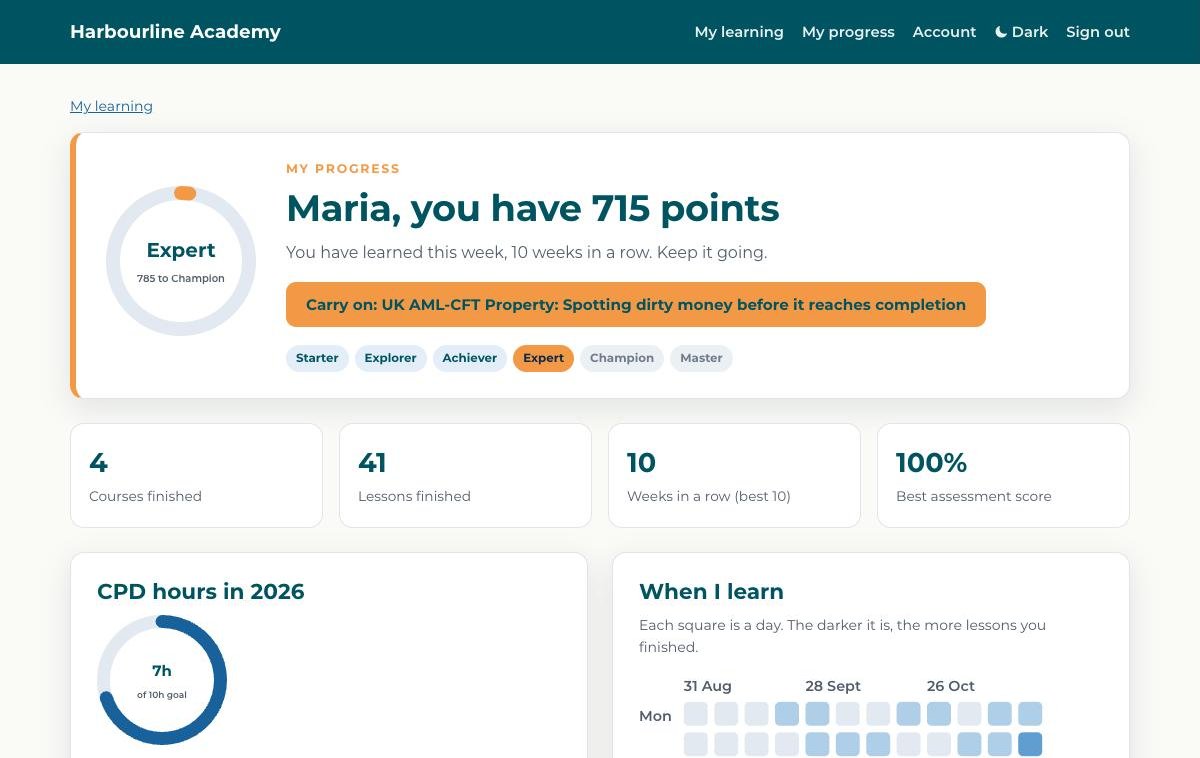
My progress
Points and rank, CPD hours against a goal the learner sets for the year, and a calendar of when they learn.
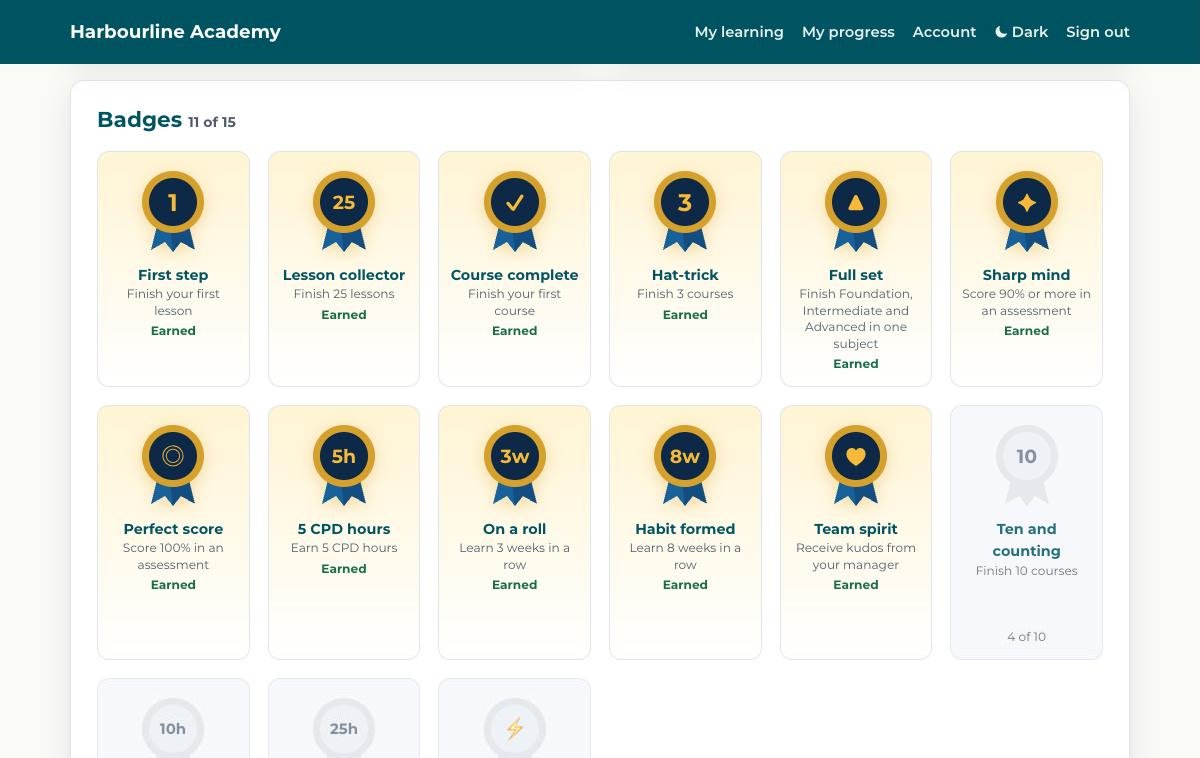
15 badges to collect
Every badge shows how close the learner is, from 25 lessons to 25 CPD hours and an eight-week streak.
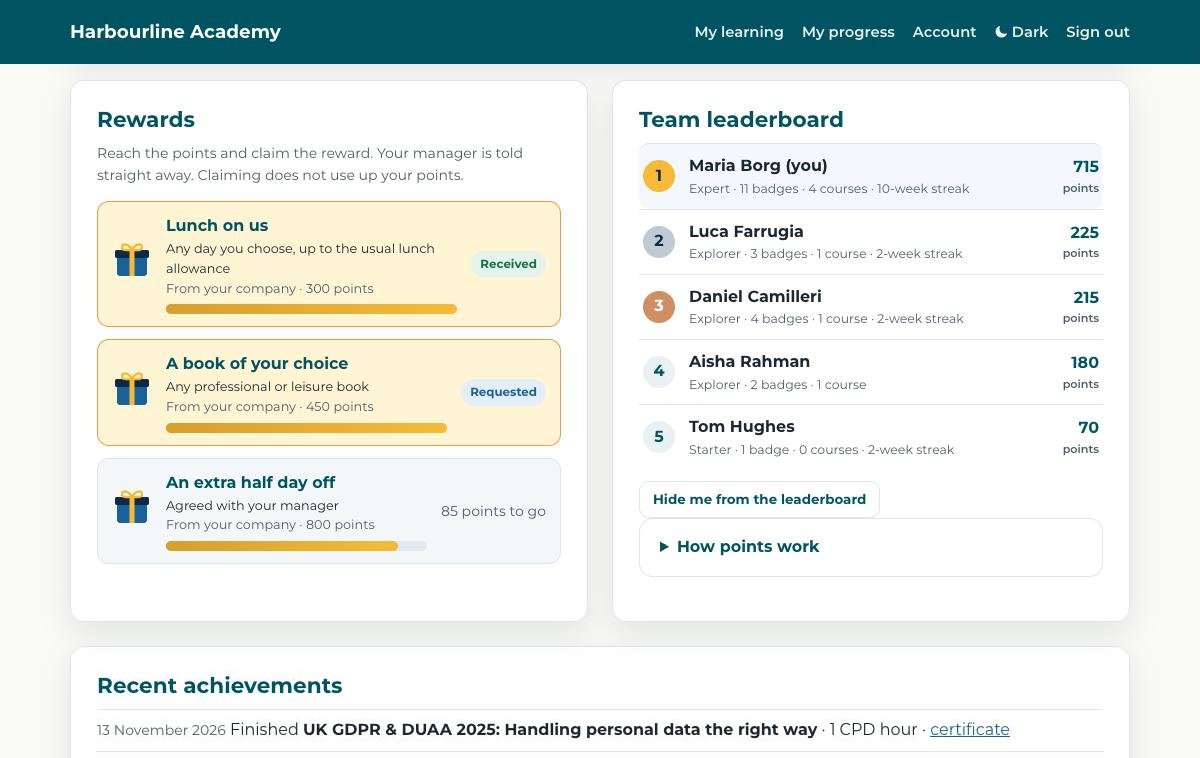
Rewards and a team leaderboard
Your company chooses the rewards. When a learner reaches the points, they claim it and their manager is told. Anyone can hide from the leaderboard.
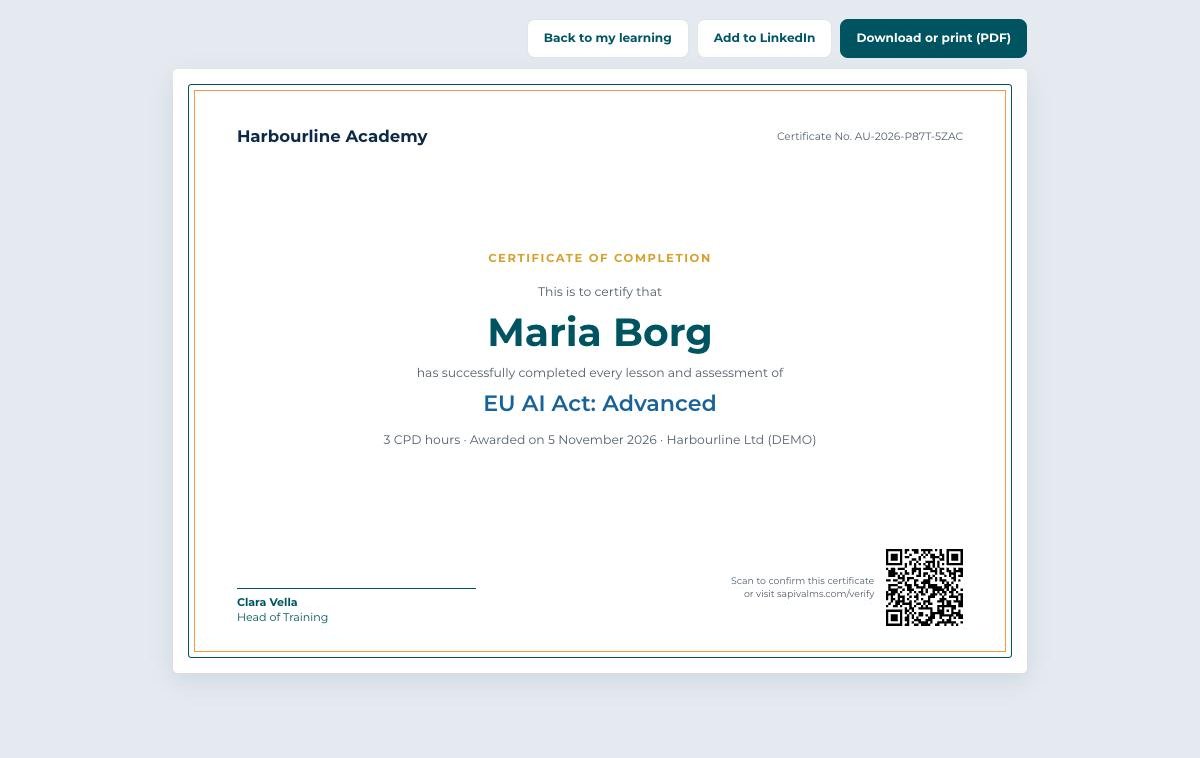
Certificates in your name
Issued the moment a course is finished, with your school name, your signatory, CPD hours and a QR code. One click adds it to LinkedIn.
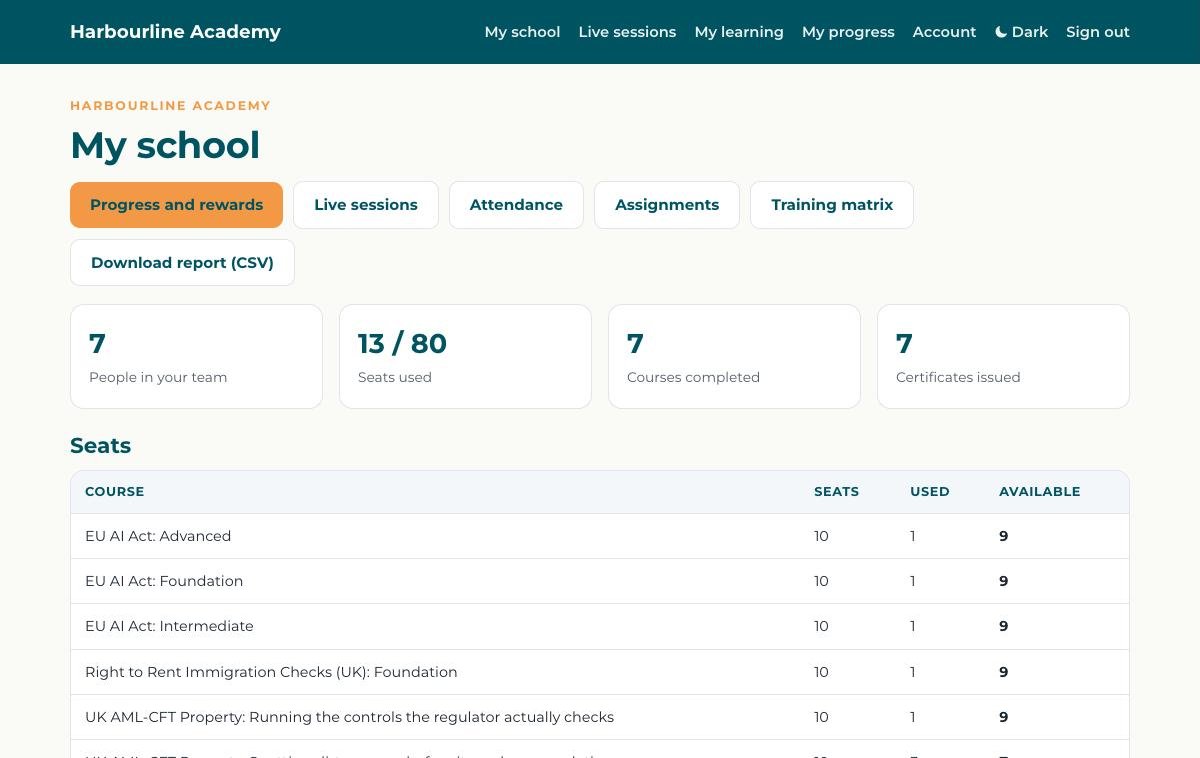
Your whole team in one place
Seats, people, courses given and certificates. Add people straight from a spreadsheet, and download the training matrix or a full report.
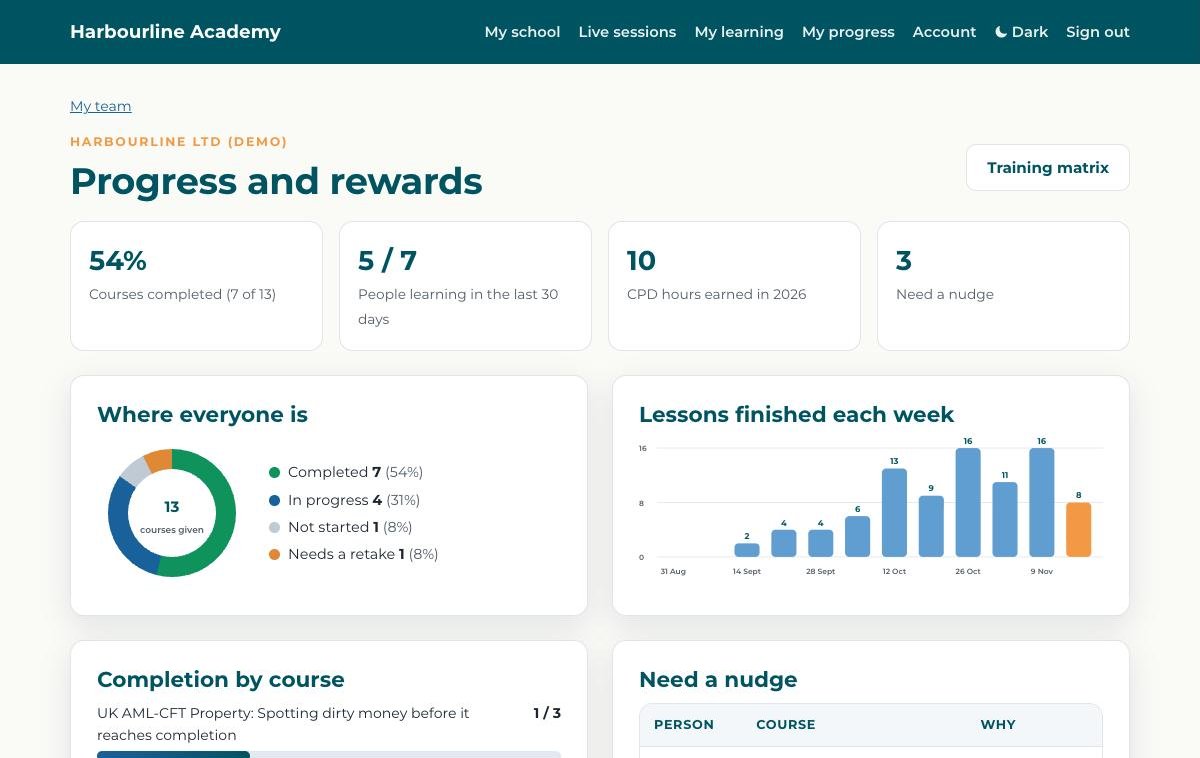
See where everyone is
Completion rate, who has been learning in the last 30 days, CPD hours earned this year and lessons finished each week.
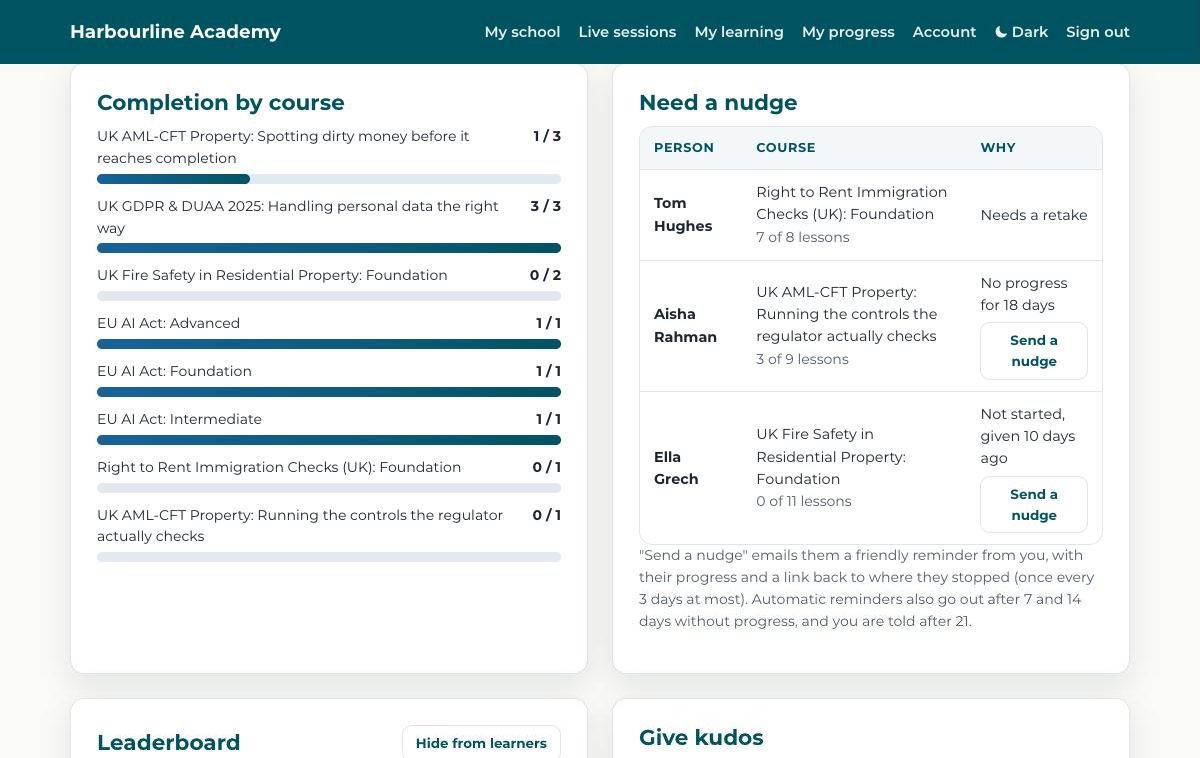
Know who needs a nudge
Not started, stopped or needing a retake. One click sends a friendly reminder, and automatic reminders go out after 7 and 14 days, with an alert to you after 21.
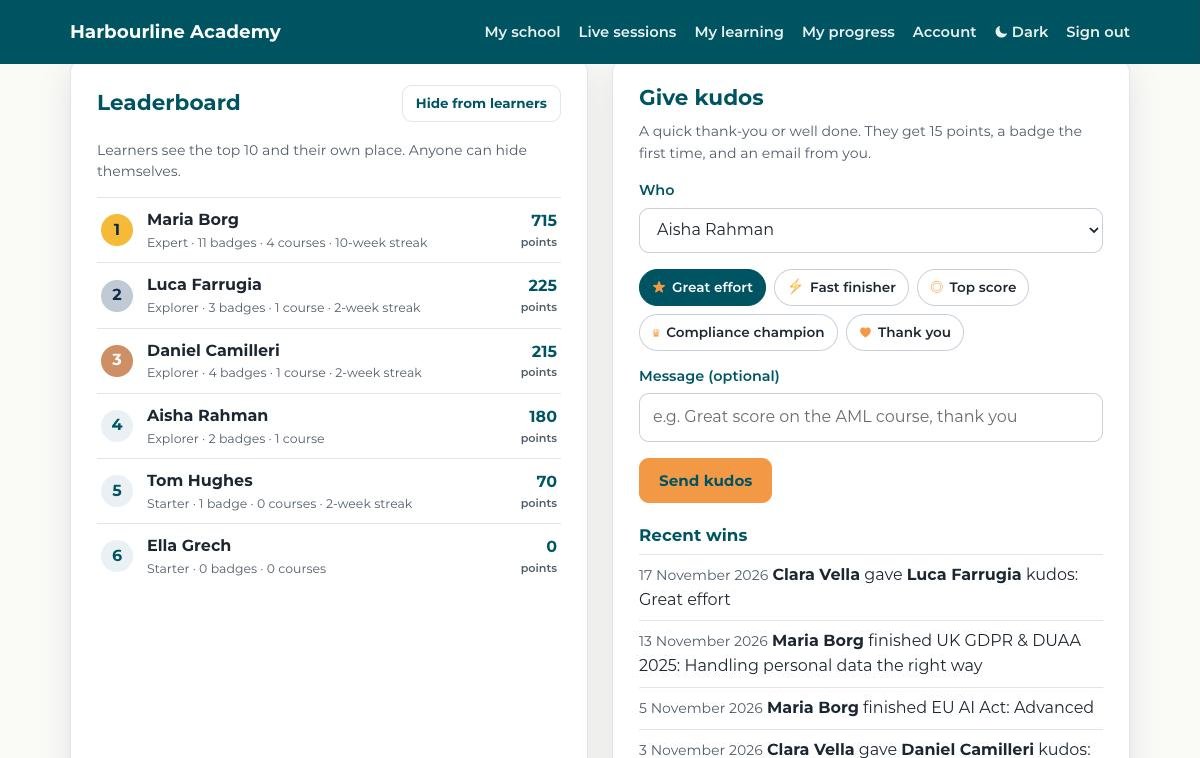
Say well done
A team leaderboard and kudos with a personal message. The learner gets points, a badge the first time and an email from you.
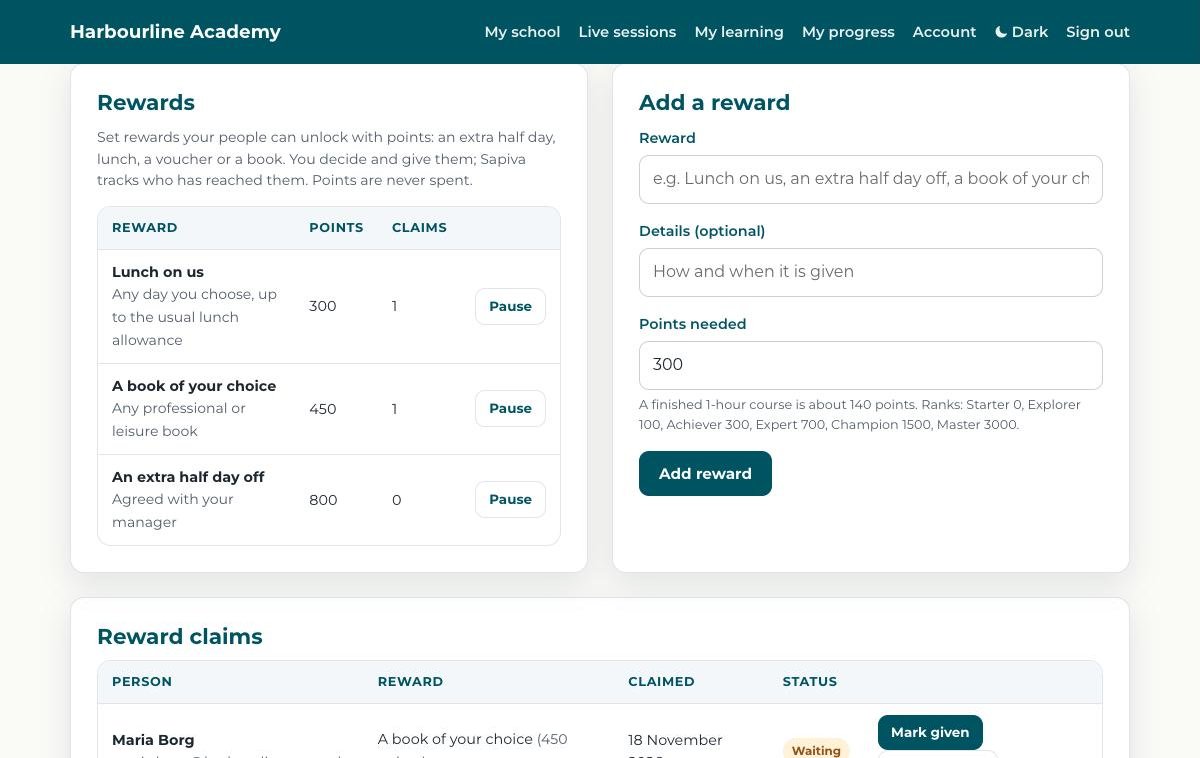
Rewards you choose
Lunch, a book, a half day off: you set the reward and the points needed, and Sapiva tracks who has earned it.
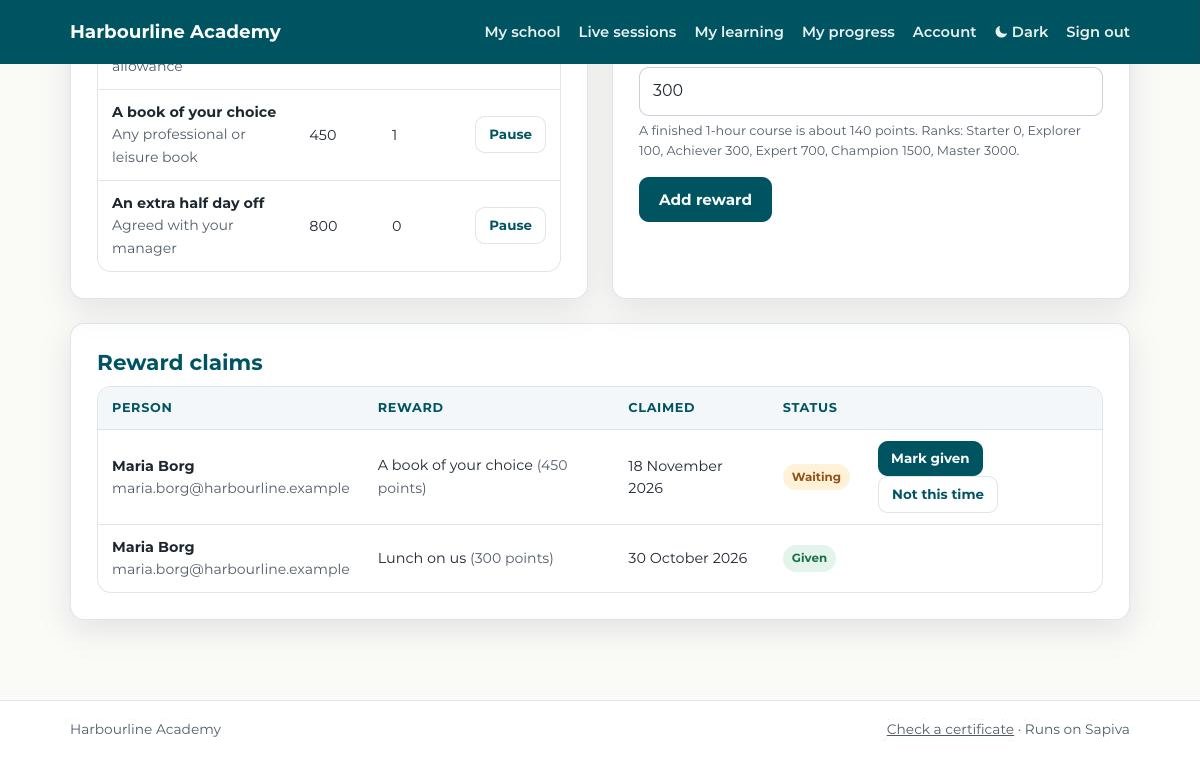
Claims, handled
Every claim in one list. Mark it as given and the learner is told straight away.
Common questions
What is Sapiva?
Sapiva is an online learning platform for businesses, training centres, academies and professional bodies. It runs self-paced courses, live online and classroom sessions, attendance, assignments and certificates in one place.
What does the name Sapiva mean?
Sapiva comes from the Latin verb sapere, which means to know and to be wise. It is the same root as sapiens and sapience. The name stands for training that leaves people knowing what to do and using it well at work, not just finishing a course. It is said sa-PEE-va.
Can we run Sapiva under our own name?
Yes. On the Scale and Enterprise plans your school has its own name, logo, colours and sign-in page, and certificates are issued in your name. Your learners see your school, not ours.
Can Sapiva track attendance for live and classroom courses?
Yes. Sapiva records when each person arrives, whether they were late, how long they were present and when they left. Online learners join through Sapiva, classroom learners scan a QR code, and you can upload Teams or Zoom attendance files. Registers and reports download as CSV or print as PDF.
Can we upload our own courses?
Yes. Sapiva runs SCORM 1.2 packages and video lessons. We load them for you, and they stay private to your people.
How much does Sapiva cost?
We quote each plan for your number of learners and what you need, and we are competitively priced. Ask for a quote and we reply within one business day.
Where is the data held?
Platform data is held in the EU. Personal data can be erased on request.